Release 2509: Double Approval and Useful Improvements
 614
614 
Welcome to Release 2509! Payment approval has been updated to display both the initial and actual amounts, with dynamic fee updates and Auto withdrawal support. More details are below!
Double Approval: New Statuses, Fees, and Auto Withdrawal
We’ve improved the Payments Overview page so you can better track amounts, fees, and statuses at every stage, and expanded the capabilities of two-step approval.
Initial Amount and “Partially Completed” Status
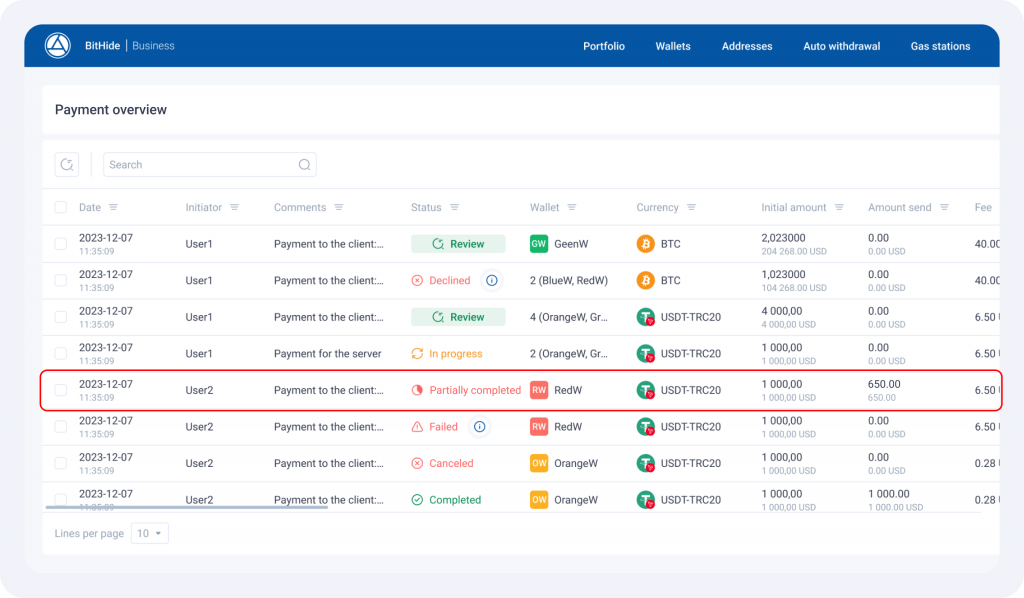
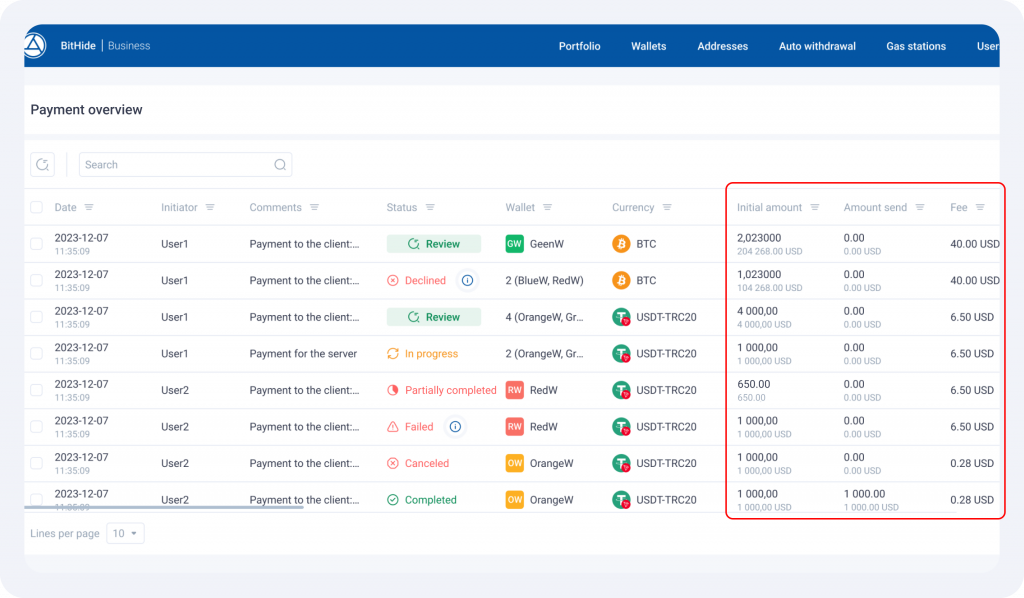
Each payment now shows an Initial amount – the original amount specified when it was created.
After the payment is completed, the actually sent amount is displayed. If the actual transfer is smaller than requested, the payment receives a final status of “Partially completed”.
New Columns in the Table
The Payments Overview table now includes new data:
- Initial amount – shows the amount specified when creating the payment,
- Fee – displays the cost of the operation.
The fee now updates dynamically: at the creation and confirmation stages, it displays the estimated fee, and after completion, it shows the actual fee deducted.
For proxy payments, the aggregation fee is also taken into account, first shown as an estimated amount and then updated with the final amount across all transactions.
Auto withdrawal Approval
Auto withdrawal now also goes through double approval. On the Payments Overview page, it is displayed as a separate type with its own icon and status, allowing you to filter by “Auto withdrawal”.
In the Initiator column, the user who created the Auto withdrawal rule is displayed.
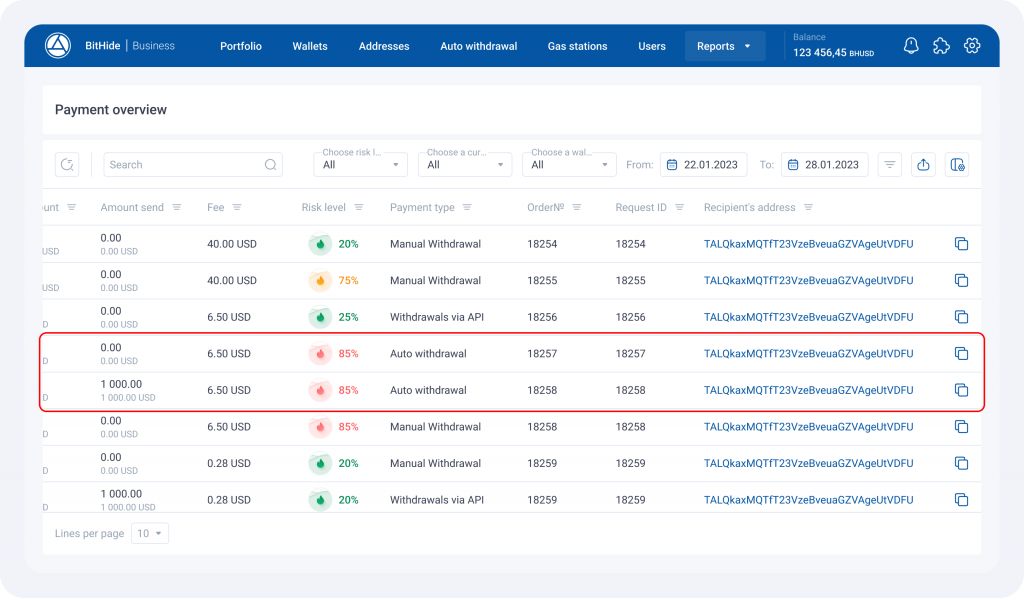
Double approval has become more transparent: you can now see both the initial and actual amounts, as well as the estimated and deducted fees. Additionally, you can review Auto withdrawals alongside other payment types.
Useful Improvements
Internal Ethereum Transactions
Internal ETH transfers are now processed correctly and displayed in the interface. You can now see the full picture of fund movement, including nested transactions and contract calls.
BHUSD Balance Is Now Visible to All Users
Previously, the balance was only displayed to administrators. Now, regular users can also view it, with the option to hide or show the amount. This helps track when it’s time to top up the balance for AML checks to work properly.
Updated Payment Page
We’ve improved the interface and interaction on the Payment Page – setting up payment acceptance is now easier.
Create a payment button with the required parameters and embed it into your website – everything’s ready to use!
Thank you for choosing BitHide. Together, we’re making it better.
See you in the next updates!