Not Phishing, Not a Breach: How Infostealer Collected 420,000 Binance Accounts
How malware obtains credentials from your devices.
 43
43 
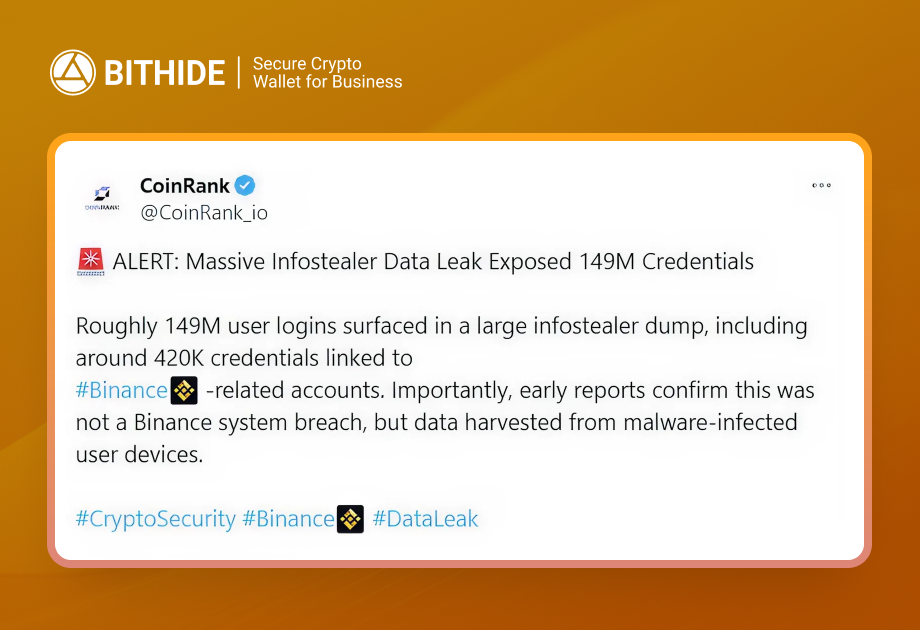
On January 27, 2026, security researcher Jeremiah Fowler discovered an open database containing 149 million compromised accounts. Among them were approximately 420,000 records associated with Binance. This wasn't a breach of the exchange or a classic Binance data leak, but rather the result of mass-scale operations by Infostealer malware that collected data directly from user devices.
Let's break down what exactly happened, why Infostealer is dangerous, and what to do if you suspect compromise.
Key Takeaways
- The incident started with an open database, not a service breach — 149 million accounts, including about 420,000 associated with Binance, were collected by malware from user devices.
- Infostealer steals more than passwords — cookies and session tokens allow bypassing 2FA and logging into accounts as a legitimate user.
- One infected device opens access to everything — email, exchanges, banks, messengers, and corporate services end up in a single log.
- The data was ready for immediate abuse — metadata, device identifiers, and direct URLs simplified automated account takeover.
- Compromise is hard to recognize immediately — early signs look like normal logins, new session notifications, or unfamiliar API keys.
- Real damage begins after access is gained — attackers substitute payment details, send phishing messages on behalf of the company, and directly withdraw funds.
- User device is the main security factor: isolated environments, hardware 2FA, strict software policies, and session control reduce the risk of such attacks.
What is Infostealer and What Exactly Does It Steal
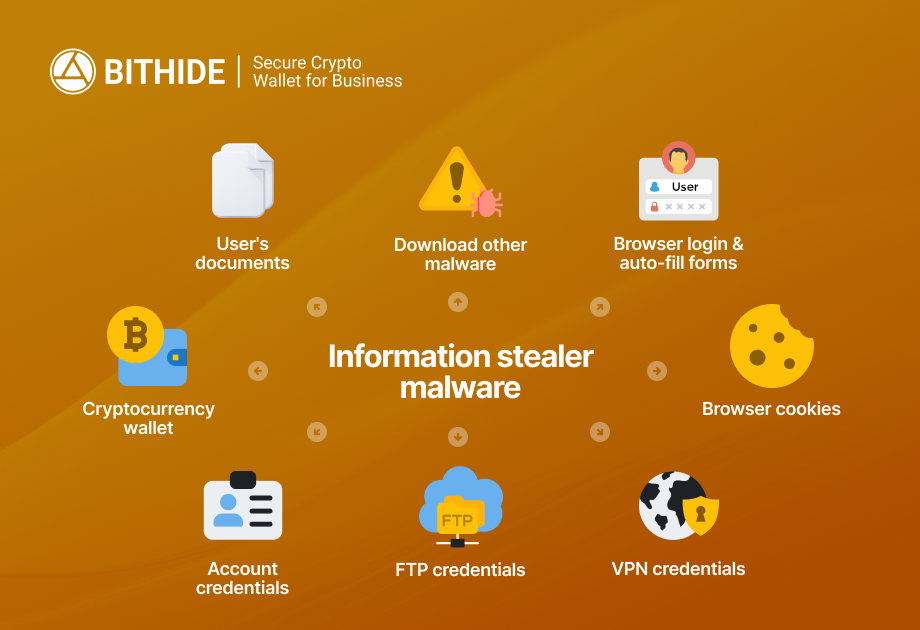
Infostealer (stealer) is a class of malware specializing in silently collecting confidential data from infected devices. Unlike ransomware or banking trojans, stealers work undetected without disrupting system operations, so the victim doesn't suspect compromise for as long as possible.
Browsers store logins and passwords in local databases. Stealers can extract this data even if it's "protected" by the browser's built-in mechanisms. Saved addresses, phone numbers, payment card data end up in the log entirely.
But the most dangerous part is cookies and session tokens. They contain temporary authentication keys that allow bypassing login altogether. The attacker simply imports stolen cookies into their browser and gains access to an already logged-in session. Even if you have two-factor authentication enabled, an active session remains valid until forcibly terminated.
This is a critical point: 2FA protects the moment of login but doesn't protect an already started session.
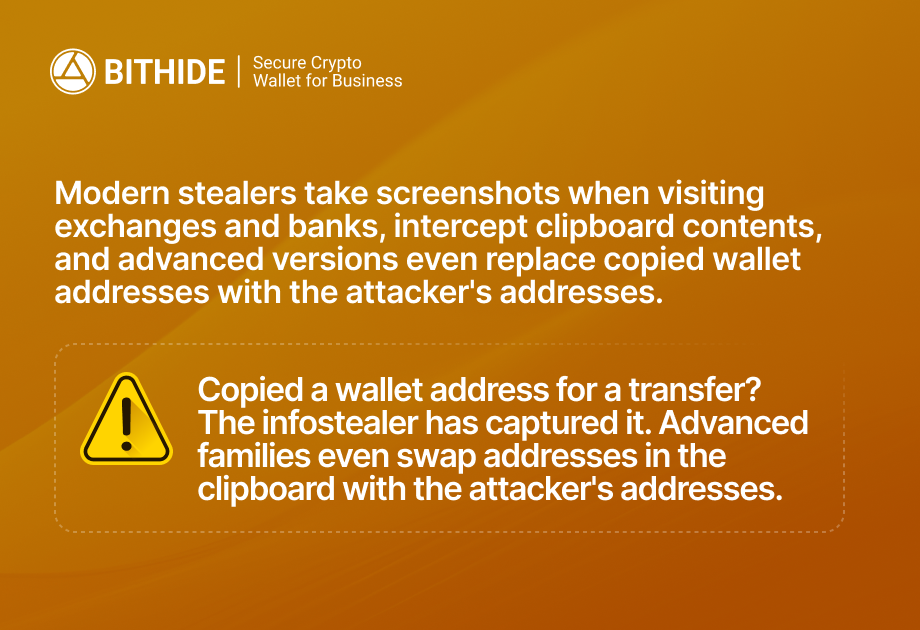
Crypto wallets like MetaMask, Phantom, Rabby store data locally in browser extensions. Some stealer families specialize in extracting seed phrases and private keys.
What Researchers Found and What Does Binance Have to Do with It
Jeremiah Fowler discovered a publicly accessible database of 96 GB without encryption or password protection. Inside were over 149 million unique login-password pairs with metadata.
The database contained records from dozens of popular services:
- 48 million Gmail,
- 17 million Facebook,
- 6.5 million Instagram,
- 4 million Yahoo,
- 420,000 Binance,
- plus banking services, educational domains (.edu), government accounts (.gov).
The presence of Binance records doesn't mean the exchange was hacked. Analysis of the data structure shows that information was collected through Infostealer malware from infected user devices, not extracted from the company's servers. This is a fundamentally different type of attack. Not a corporate breach, but mass compromise of end users.
Why Do Crypto Accounts Attract Special Attention from Attackers?
Successful takeover of a crypto account provides immediate access to liquid assets that can be withdrawn within minutes. And one infected user profile typically contains a chain: email → exchange → cloud → messengers → corporate tools. In practice, a Binance log almost always neighbors Gmail, Outlook, Telegram logs, which opens possibilities for complex attacks, from access recovery through email to phishing counterparties.
The database was organized using reverse identifiers (format com.binance.user.device — like domain names, only backwards) and unique hash values for each record. Such structure allows easy grouping of data by victims and automating mass brute-forcing of stolen passwords on different platforms.
Practical Business Attack Scenario After Infostealer Compromise
Let's examine a typical attack chain on a company conducting crypto operations — payment acceptance, partner payouts, contractor settlements.
Stage 1: Infection
A financial manager or operations department employee downloads a "cracked" version of popular work software. Could be Adobe, office utilities, VPN clients. An alternative vector is a browser extension promising convenience: currency converters, crypto price trackers. Another option is a phishing email with an Excel file or attachment disguised as an invoice from a counterparty. When opening such a file, hidden malicious code executes.
Stage 2: Collection and Transmission of Stolen Data
Infostealer runs in the background, collects data: passwords, cookies, tokens, files, and sends them to the attacker's server. One log (data set from one device) is typically sold on shadow marketplaces for $5–$50 depending on contents.
Stage 3: Access Sale
Logs end up on Telegram channels, darknet marketplaces, specialized forums. Buyers filter logs by criteria: country, presence of crypto exchanges, corporate domains, banking services.
Stage 4: Account Takeover
The attacker imports stolen cookies into their browser and gains access to accounts without entering passwords and bypassing 2FA if the session is still active. Logs into email, exchange, messengers. If session tokens have expired, uses stolen passwords to log in, often from the same devices or IP addresses through proxies to avoid raising suspicion in monitoring systems.
Stage 5: Exploitation and Monetization
This is where real damage begins:
- Payment detail substitution. The attacker logs into corporate email, finds correspondence chains with contractors, partners. At the moment when payment should occur, sends an email with "updated details," but the crypto wallet address or banking details are now theirs. The email looks legitimate, sent from a real mailbox, in the context of existing correspondence.
- Employee and counterparty phishing. Compromised Telegram or Slack provides access to work chats. The attacker writes to colleagues on behalf of the victim: "urgently need to confirm transaction," "send seed phrase for verification," "click on this document." Such messages are perceived as legitimate because they're sent from a familiar account.
- BEC scenarios (Business Email Compromise). Classic: email from "CEO" to CFO demanding urgent payment. If the attacker compromised the real executive's email — the email will be sent from their mailbox, signature will match, communication style too (malware provides access to all correspondence, you can study communication patterns).
- Direct fund theft. If the log has access to an exchange with assets — the attacker withdraws funds directly. Creates a new withdrawal address (if whitelist isn't enabled), passes KYC on behalf of the victim (if there's access to email for confirmation), withdraws cryptocurrency to mixers or DEX.
- Creating API keys for automated attacks. Quiet creation of an API key on the exchange with trading rights. Then artificially inflating price followed by coin dump, fictitious trading to create volumes, using victim's account for market manipulation.
How to Understand That Credentials Leaked Through Infostealer
Indirect signs on the device that Binance or other credentials leaked to the network:
- Suspicious processes and files. Unknown processes in task manager with names similar to system ones (svchost.exe, but in wrong directory), unusual network activity. Check Windows autostart (msconfig, Task Scheduler) for unfamiliar entries.
- Browser extensions you didn't install. Some stealers disguise themselves as extensions or install them additionally to establish persistence in the system and continue working after reboot. Check chrome://extensions/ and equivalents in other browsers.
- "Cracked" software, suspicious downloads. Remember: did you install anything from unofficial sources in recent months? Game mods, cracked programs, "free" versions of paid software — these are primary stealer distribution vectors.
- Sudden login notifications. Emails from services with text "new login to account from device X from country Y" — especially if the country isn't yours.
Signs in accounts:
- Logins from new devices or IP addresses. Check activity history in account settings (Google, Facebook, exchanges typically show list of active sessions). Unfamiliar devices, strange locations — reason to sound the alarm.
- Password recovery attempts you didn't initiate. Received email "password reset request" though you didn't do anything — possibly attacker is trying to gain access through email.
- New API keys, withdrawal addresses, devices in whitelist. Go to exchange settings: check active API keys (if you didn't create them — delete), list of withdrawal addresses (whitelist), trusted devices.
- Changes in security settings. 2FA disabled, phone number changed, new email added for recovery — all this could be attacker actions preparing ground for takeover.
- Emails about logins/actions you didn't perform. "You changed password," "new API key created," "transaction completed" — if not you, then someone else.
What to Do Right Now If You Suspect Infostealer Leak
First 30 minutes:
1. Change your primary email password and enable MFA.
Email is the key to everything. If the attacker controls email, they can recover access to other services. Change password to strong one (minimum 16 characters, random generation), enable two-factor authentication. Best option is hardware key (YubiKey) or Passkeys (FIDO2) where supported. Avoid SMS codes — they're vulnerable to SIM-swap attacks.
Crypto account security is built on the same principles: unique passwords for each exchange, hardware 2FA, whitelist of withdrawal addresses. To understand how to protect against Infostealer, remember: don't save passwords in browser, regularly scan system with antivirus, and for critical operations use a separate device or live system. Also beware of crypto fakes, scammers counterfeit browser extensions and even CAPTCHA.
2. Change password on Binance (or other exchange) and revoke all active sessions.
Go to security settings → find option "End all sessions" or "Log out on all devices." Change password immediately after this so attacker can't log in again with old cookies.
3. Check and delete API keys.
API settings → delete all keys you don't remember or don't actively use. If you use trading bots — recreate keys with minimum necessary permissions (only trading, no withdrawal).
4. Disable extra devices and withdrawal addresses.
Check list of trusted devices, delete unfamiliar ones. If there's whitelist function for withdrawal addresses — make sure the list contains only your wallets.
5. Freeze critical operations until investigation.
If dealing with corporate account or account with large amounts: disable ability to withdraw funds for 24-48 hours (some exchanges have "security lock"). Suspend changes to payment details, transfer approval of any transactions to manual mode with double verification.
First 24 hours:
1. Complete cleaning or reinstallation of infected device.
Antivirus scanning may not detect all stealer components. Most reliable option is complete OS reinstallation with disk formatting. If impossible (work device, critical data) — at least isolate it from network until specialist check.
2. Password rotation "by chain".
Change passwords sequentially, starting with most critical:
- Crypto exchanges (all you use);
- Cloud storage (Google Drive, Dropbox — may contain seed phrase backups or screenshots);
- Messengers (Telegram, Discord, Slack);
- Financial services (banks, PayPal, payment systems);
- Social networks (if there are business accounts or groups).
3. Check forwarding and delegation rules in email.
Go to email settings (Gmail, Outlook) → Filters/Forwarding Rules. Attackers often create hidden rule that automatically forwards copies of all emails to their address. Also check list of delegated accounts (who has access to your email).
4. Revoke OAuth tokens of third-party applications.
Security settings → Connected applications. Delete all suspicious or unused integrations. Some stealers exploit OAuth tokens for account access.
5. For business: incident report and change verification.
If corporate account is compromised:
- Compile incident report: what's compromised, when discovered, what data affected;
- Check all changes in payment templates, counterparty details for last 30-60 days;
- Introduce mandatory double confirmation for withdrawals: any transaction above threshold X requires confirmation from two employees through different channels (for example, email + Telegram call);
- Notify partners and counterparties about possible compromise, warn about risk of phishing emails from your name;
- If there's legal/compliance department — inform them to assess regulatory obligations (GDPR, NIS2, etc.).
Conclusion
The incident with a database of 149 million accounts isn't an isolated case, but a reflection of a global trend. Attacks through infostealer shift the threat focus from company servers to user devices. And classic protection measures are powerless here, because if the attacker obtained valid authorization data, they log in as a legitimate user.
For the crypto industry, this is especially critical. Binance account hack, the causes of which often lie in compromised devices, can lead to loss of funds within minutes with no possibility of rollback or freezing. Data theft through malware happens unnoticed: Infostealer collects passwords from browsers, intercepts session tokens, and transfers them to attackers.
Crypto operation security starts with the end user's device. Strong passwords, hardware 2FA, isolated environments, strict software installation policies — this isn't paranoia, but a necessary minimum. For companies working with cryptocurrencies, it's important to build a multi-layered protection system where compromise of one link doesn't lead to collapse of the entire chain.
Contact the BitHide team to learn how our crypto wallet helps work with cryptocurrencies securely.