Release 2.37: Notifications and Gas Station Withdrawal Button
 2198
2198 
We are pleased to introduce new features and improvements to BitHide!
Added Gas Station Withdrawal Button
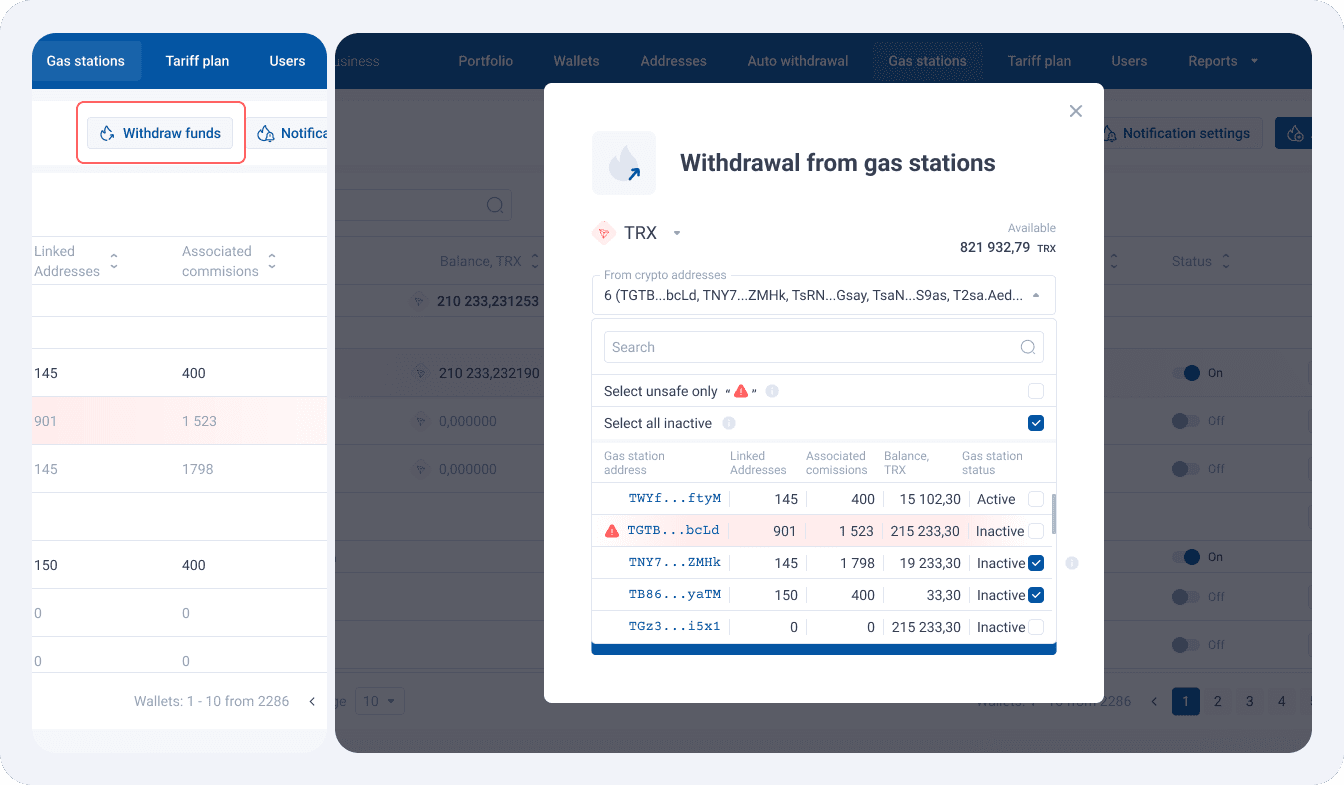
Tired of withdrawing funds from each Gas Station separately? Well, your problem is now solved! The new “Withdraw funds” button on the Gas Station page lets you quickly and easily collect funds from unused Gas Stations. It opens a modal window with the “Select all inactive” checkbox pre-checked. In this case, all inactive Gas Stations with a non-zero balance and associated addresses or transactions will be listed. This means that these Gas Stations have been working for some time, but now the limits have been reached or the user has switched them off manually.
You can also “Select only unsafe” with a single click, i.e., only those Gas Stations that have exceeded their limits.
Optimised Bulk payment for USDT-ERC20
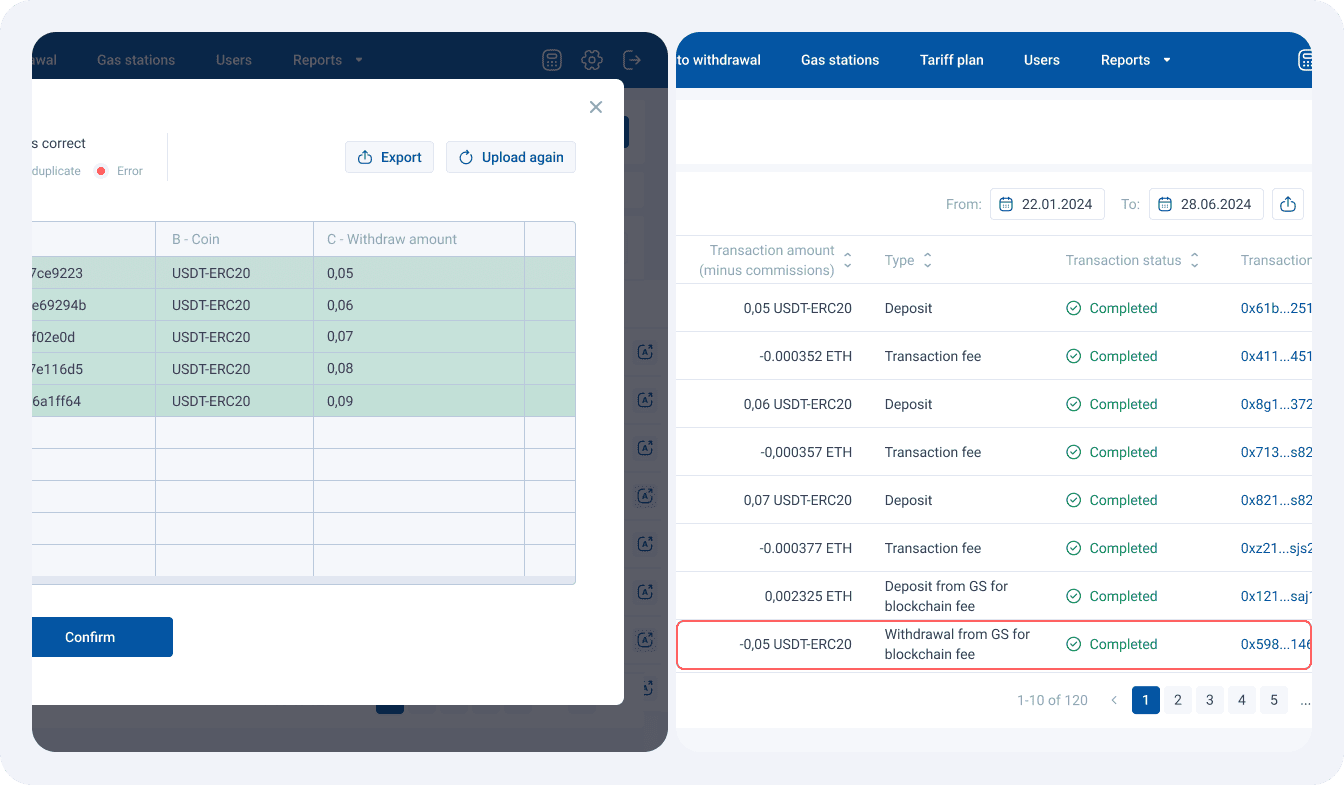
The logic of paying ETH fees for bulk USDT-ERC20 payments has been improved. The required amount of ETH for paying fees for all planned transactions is first calculated and transferred from the Gas Station (GS) to the USDT-ERC20 withdrawal addresses. This significantly reduces the number of operations and increases the reliability of the process. Previously, each USDT-ERC20 transaction required a separate ETH transfer, which increased the number of operations.
At the same time, as before, the ETH balance is checked before each transaction to exclude the participation of the GS if there are enough funds or to request additional funds from the Gas Station.
Enhanced Telegram Notification for Available Gas Station Balances
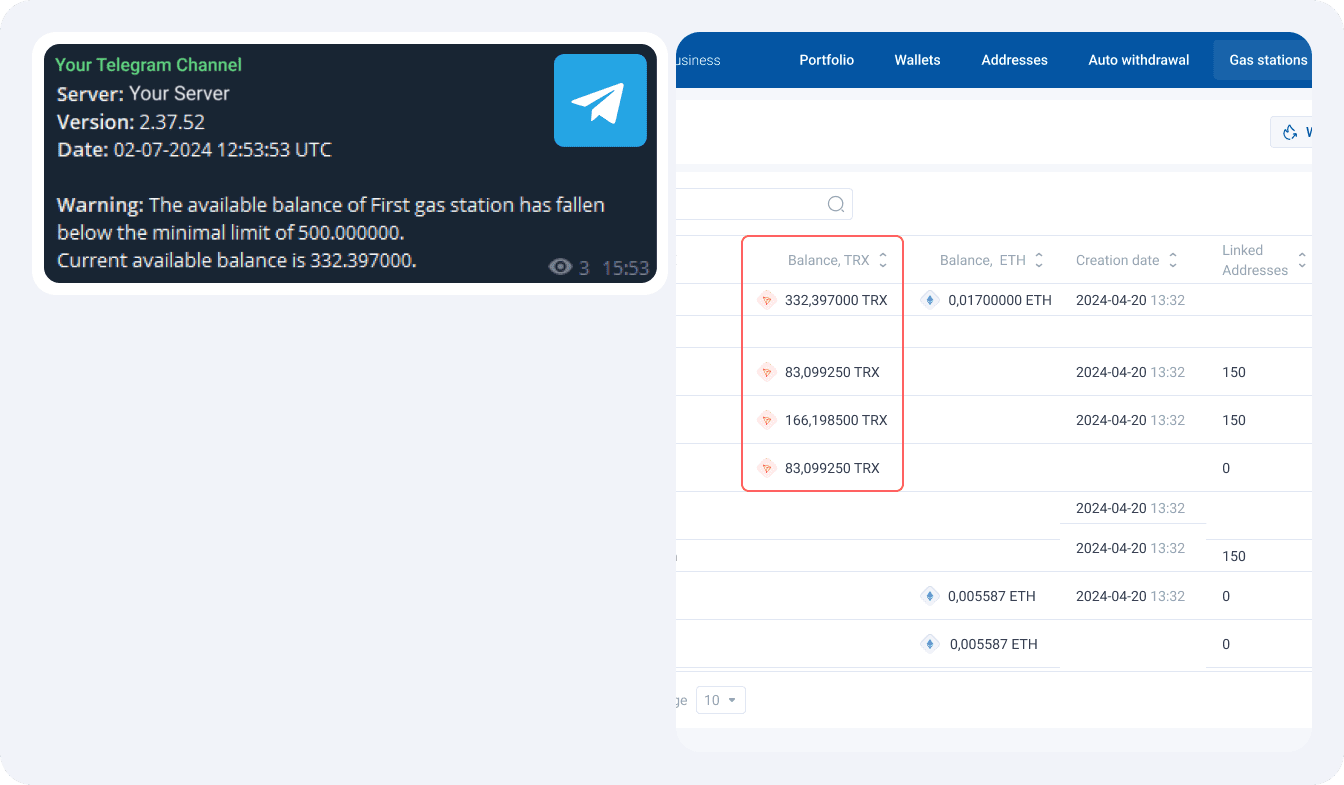
Telegram notifications about available Gas Station balances in your wallet have become even more informative. The available balance now represents the sum of funds only from those Gas Stations where the set limits have not yet been reached.
Added Aggregation Transactions Exclusion from Reporting
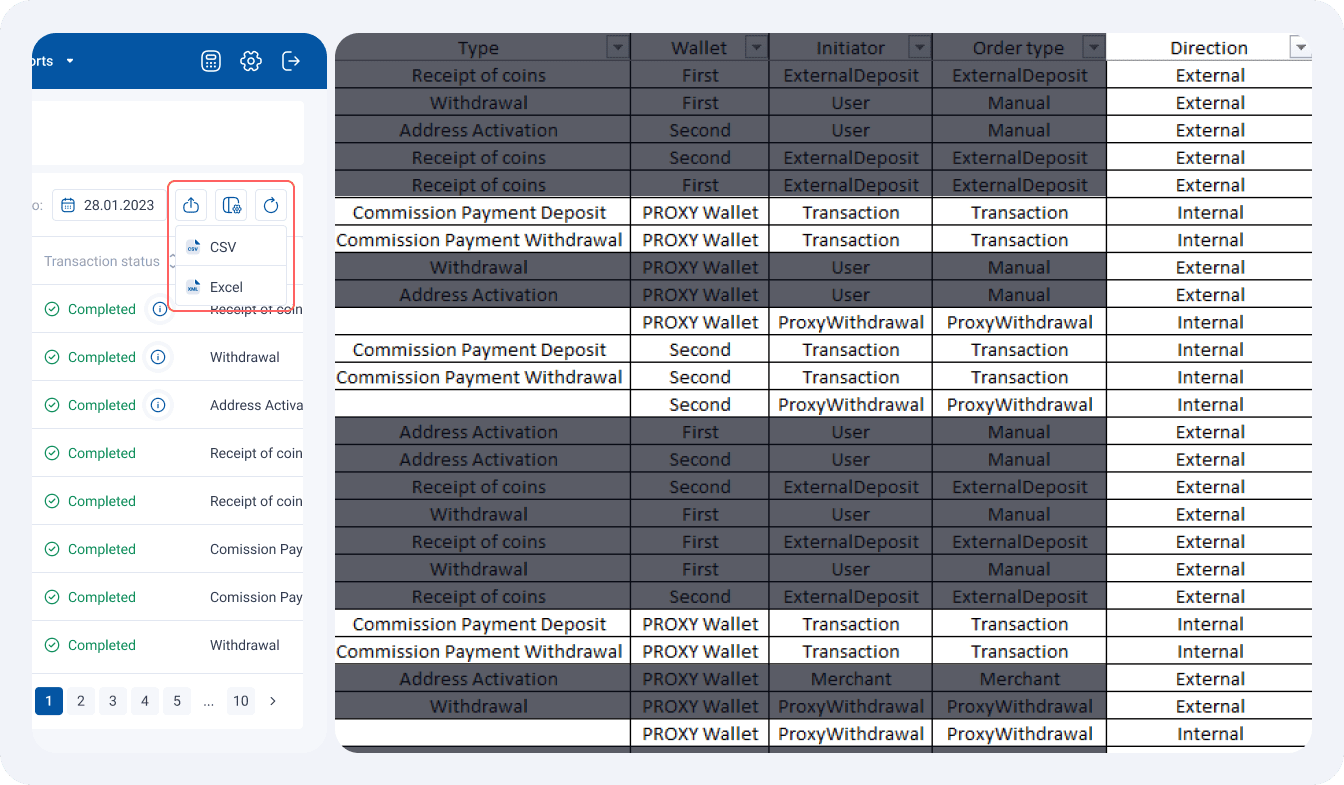
You can now exclude internal fund aggregation transactions from reporting, preventing double turnover. Internal transactions include:
- BTC Change Withdrawal
- BTC Change Deposit
- Deposit from GS for blockchain fee
- Withdrawal from GS for blockchain fee
- Aggregation of proxy payments (withdrawal and deposit)
A Direction column has been added to the CSV and XLS transaction history export, indicating the transaction type: Internal or External.
Favorite Wallet Flag Management via Public API
Now you can manage favorite wallets not only through the interface but also through the Public API. A new method has been added to set and remove the favorite wallet flag using the isFavorite parameter. This greatly simplifies managing your wallets, allowing integrators to add wallets to favorites via API requests, and BitHide users will automatically see these changes.
Enhanced Favorite Wallets Functionality
Favorite wallets are now displayed first in all drop-down lists, significantly simplifying and accelerating the process of selecting them. Your preferred wallets will always be in view, allowing you to perform all operations quickly and easily. No more wasting time searching for your favorite wallet – it will always be at your fingertips on the following BitHide pages:
- Withdrawal modal window
- Addresses page
- Balance Sheet
- Add/edit user
- Add/edit auto withdrawal
- Add Gas Station modal window
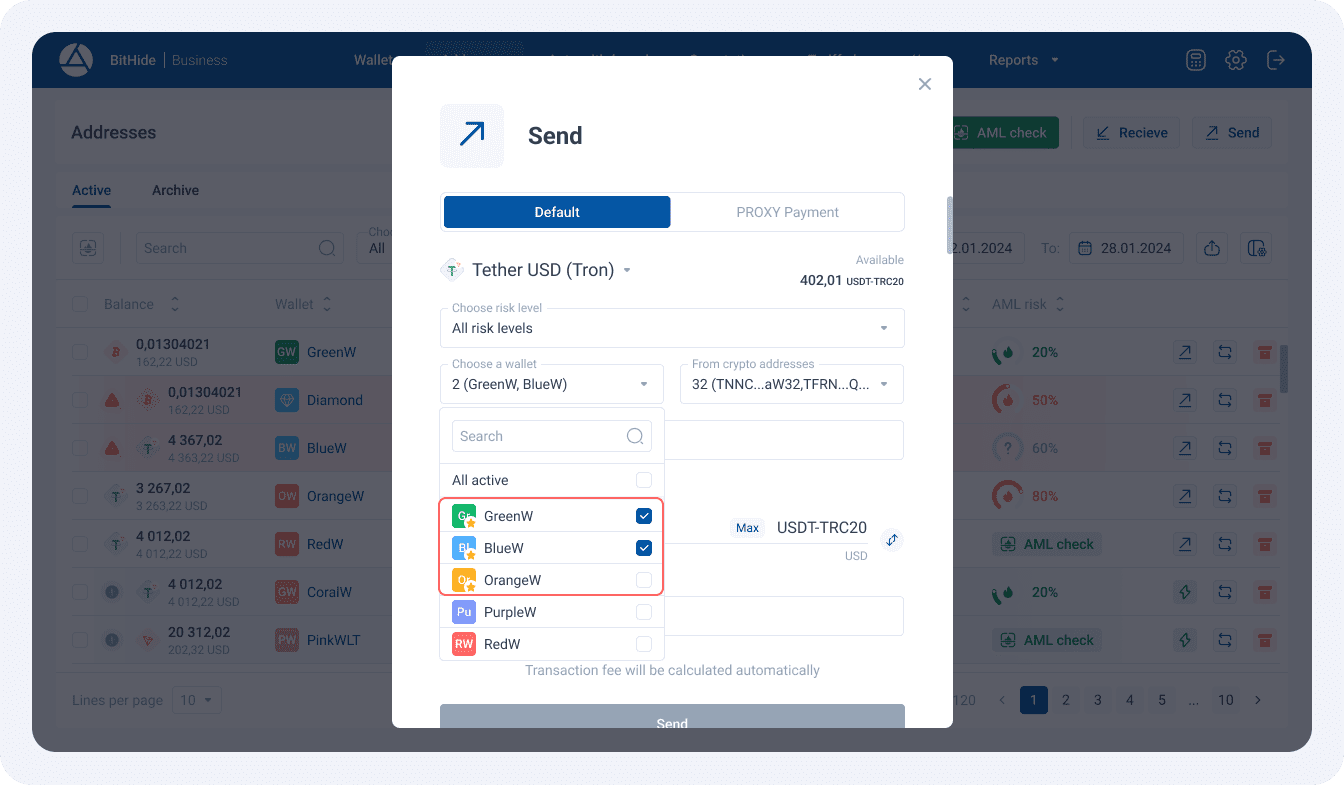
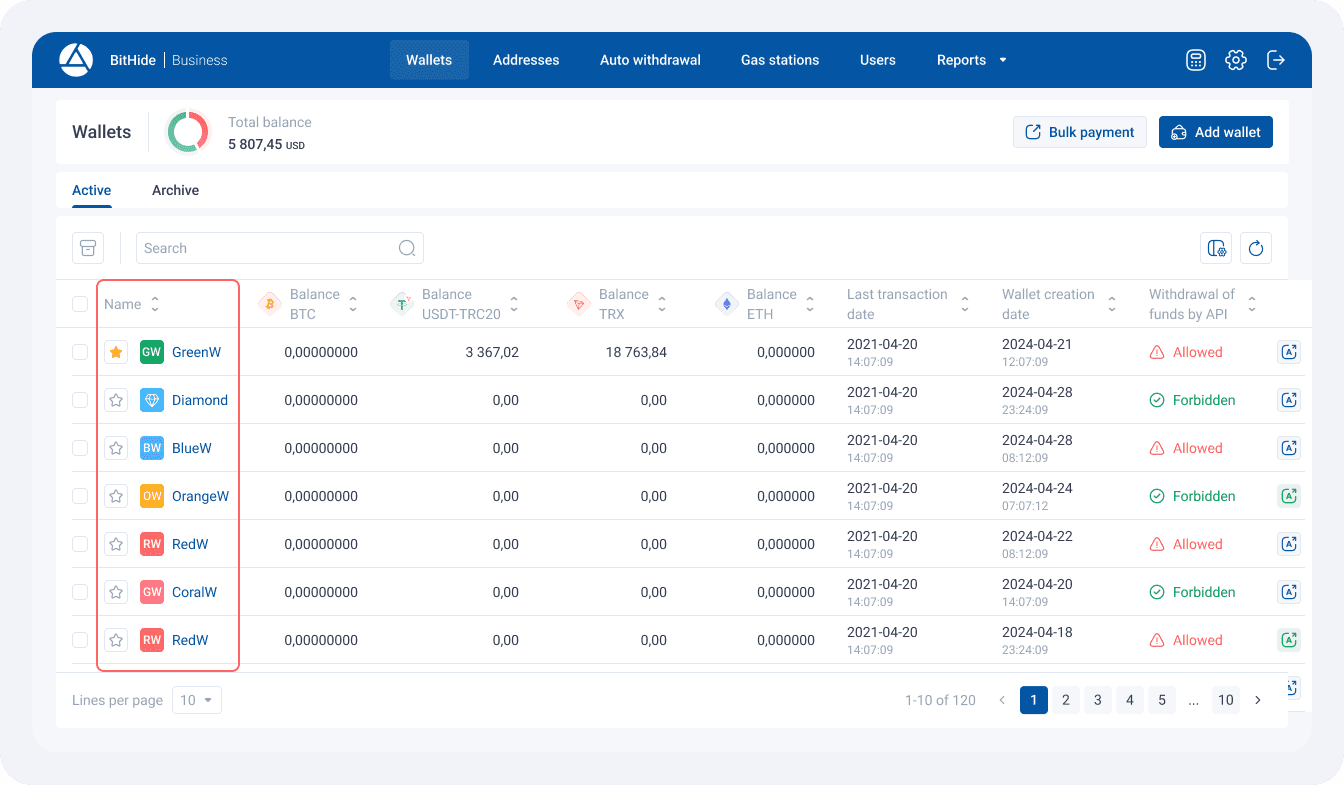
Additionally, the “Favorite” icon now appears as the first column in the table, allowing you to quickly add or remove wallets from favorites, making managing favorite wallets even easier and more convenient.
Improved Informativeness in Withdrawal Modal Windows
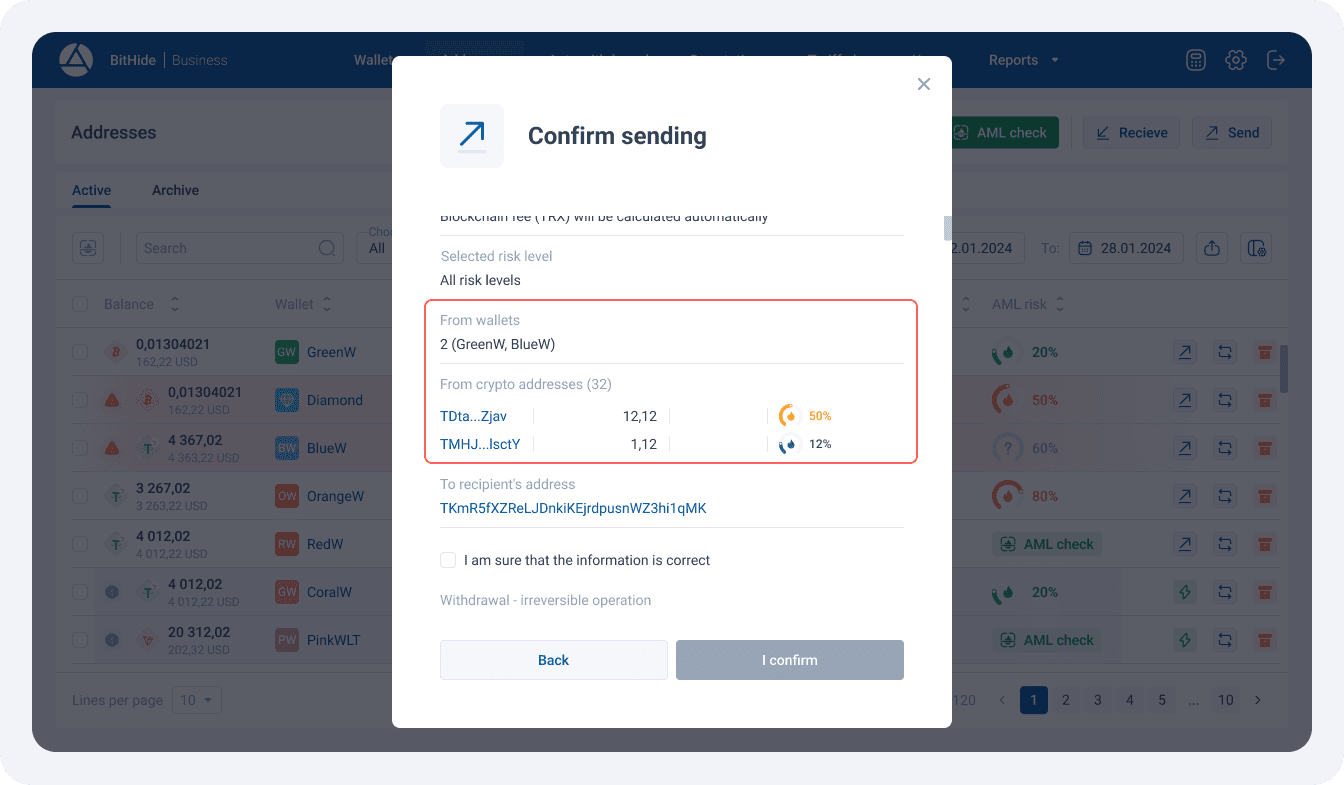
The confirmation modal windows for manual and proxy withdrawals now display only those addresses and wallets directly involved in the withdrawal. This gives you full transparency and control over your funds, as you will always know which of all selected addresses and wallets will actually be used for the transaction.
The Portfolio Page is Now Available Not Only to the Administrator
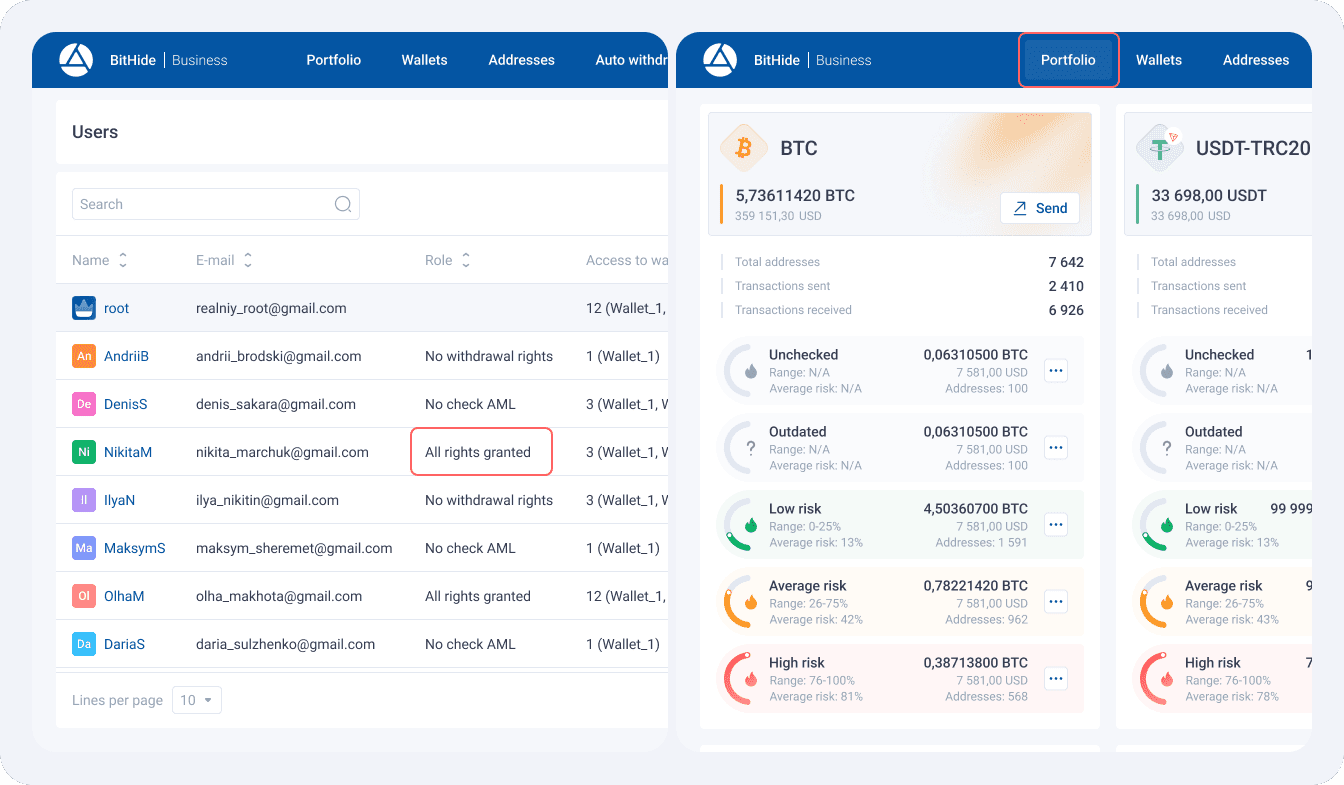
Users with withdrawal rights can now see the portfolio of available funds, making it much easier to organize and structure financial data.
BitHide remains committed to continuous innovation, providing its users with cutting-edge cryptocurrency management solutions. Stay tuned to be the first to know about new features and capabilities!