Release 2.35: New “Portfolio” section and global AML settings
 2141
2141 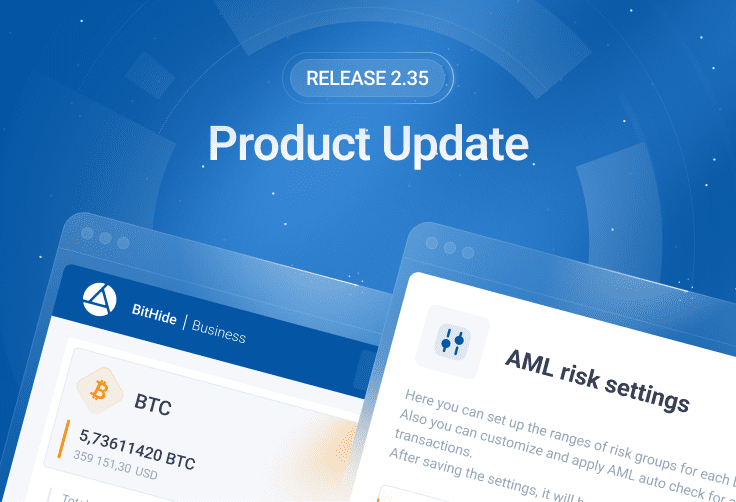
Welcome to BitHide! We appreciate your choice and trust. Introducing the updates created by our team for your convenience and security.
New “Portfolio” section in the BitHide menu
Added a “Portfolio” section to the BitHide menu- this is a new page designed to easily track and manage your portfolio! On this page you will see all your funds for each coin, in the form of coin cards, which in turn categorise your funds by risk level:
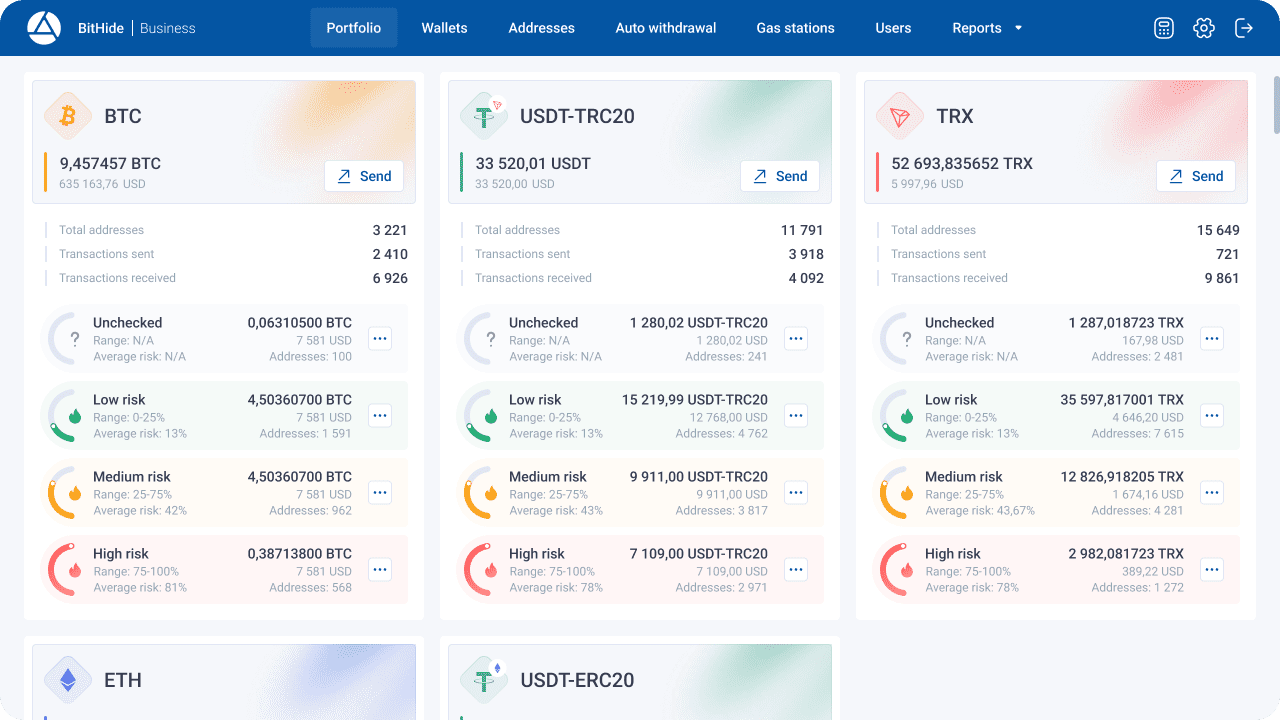
Each card of a certain coin allows:
- See the available balance for withdrawal by coin and in dollar equivalent within all wallets. Please note that the available balance for withdrawal does not include funds in Gas Stations, PROXY Wallet and Archive Wallets.
- Withdraw available funds from all wallets in just a few clicks.
- See the total number of addresses and transactions sent and received.
- The risk level grouping block within the coin card allows:
- See the number of addresses from all wallets according to risk level and their balance in coin and dollar equivalent.
- See the weighted average risk of addresses for each risk group.
- Withdraw funds separately from addresses of the selected risk level from all wallets (using the context menu).
- View addresses from all wallets in the desired coin by risk level (using the context menu).
- Send unchecked addresses from all wallets for AML check (using the context menu).
BitHide now has global AML settings!
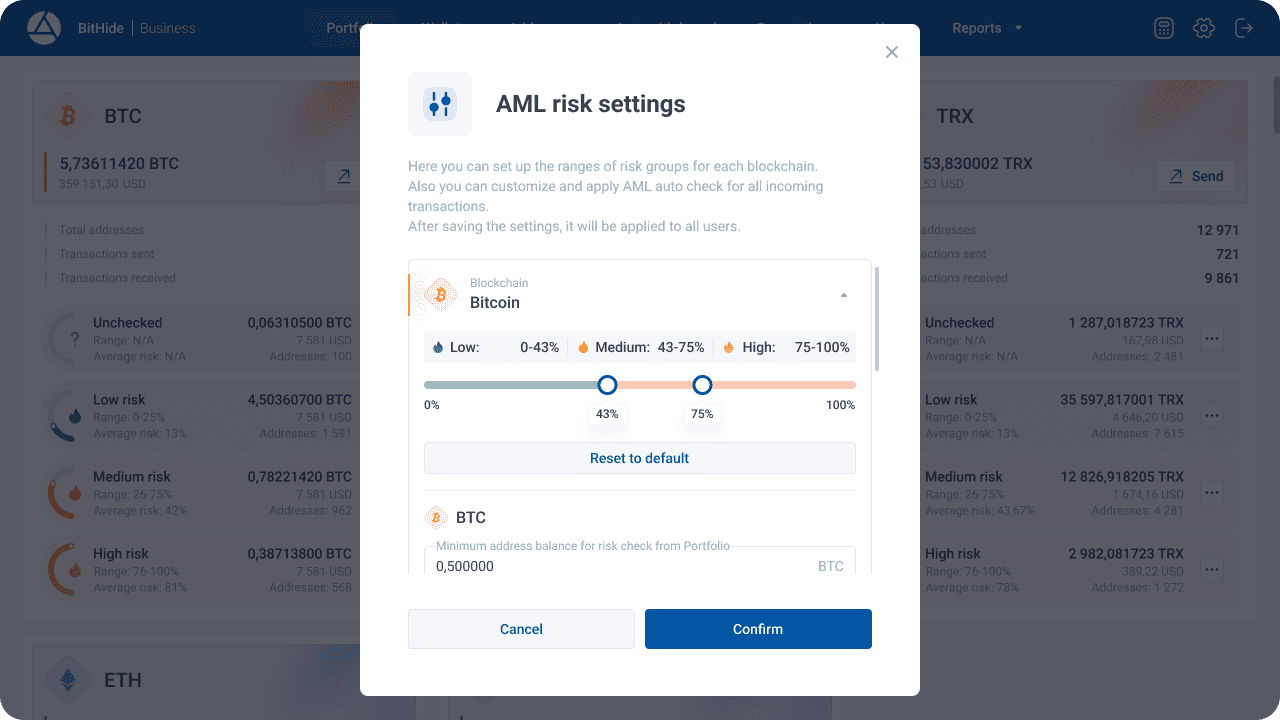
In the side menu of the application settings, you will find an additional block “AML Settings”, which will give you the following options:
Customize the ranges of risk groups. You can now create customized risk group ranges for each blockchain, tailoring address security to your preferences. For example, you can set that for the Tron blockchain, secure addresses from 0 to 10%, average addresses from 10 to 50%, and risky addresses from 50%. For the Ethereum blockchain, set the safe range to be 0 to 50%, and consider addresses with a risk level of 80% or higher as risky. After configuring these settings, you will see corresponding changes in the interface that will help you manage the security of your addresses more effectively.
Auto risk level check for incoming transactions. You can now configure automatic risk level checking for incoming transactions, enable or disable it at will, and set a minimum transaction amount to check each coin. For example, you can automatically check all incoming USDT-TRC20 transactions with an amount greater than or equal to 500.
Setting the minimum balance of addresses for AML check from Portfolio. You can now fine-tune which addresses will be sent for risk checks from the Portfolio by setting a minimum balance for each coin. For example, set the minimum balance to 100 TRX. When running an AML check for Unchecked addresses from the Portfolio page, only those addresses with a balance equal to or greater than 100 TRX will be sent for checking. This allows you to optimize the use of resources by avoiding checking empty addresses or addresses with insufficient balances.
Changes made through AML Settings will be applied to all users.
Changes and fixes.
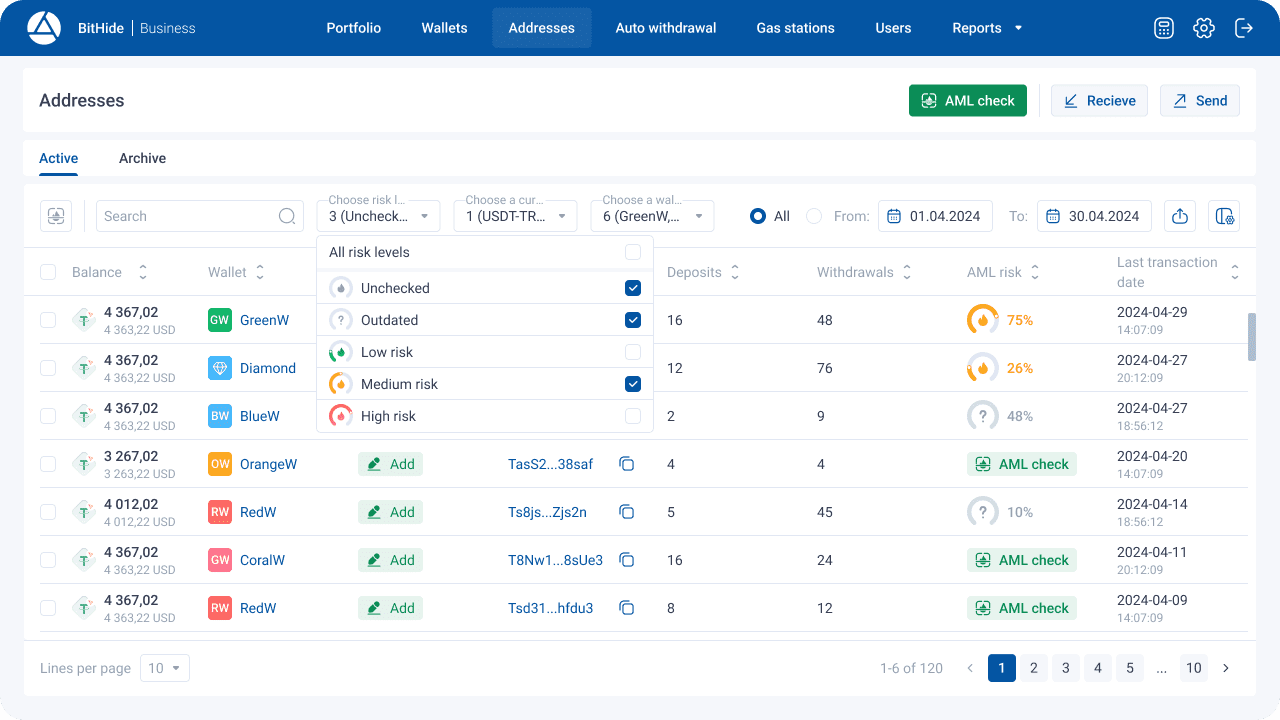
Added a filter by risk group to the “Addresses” page that allows you to display addresses on the page according to the selected risk groups. Filters now allow you, for example, to display only USDT-TRC20 addresses with risk levels of “Unchecked”, “Outdated” or “Average” out of your six wallets from April 1 to April 30, 2024.
The modal window for manual withdrawal has been updated. The following changes have been made to the functionality of the window:
- Added tabs for selecting the payment type:
- Added address risk groups selection field, which allows you to filter the list of addresses for withdrawal. For example, you can now send a payment using only safe coins to eliminate the risk of blocking funds on the recipient's side. Select low-risk level and then select addresses from the filtered list for withdrawal.
The modal window for manual withdrawal confirmation has also changed to match BitHide's updated functionality. You will now see the selected risk groups for the payment when confirming.